Microsoft releases Windows 10 KB5131096 extended security update
Microsoft released the Windows 10 KB5131096 extended security update, which includes this month's November 2026 Patch Tuesday fixes and a few bug fixes and changes. [...]
Microsoft releases Windows 10 KB5131096 extended security update
- November 10, 2026
- 03:04 PM
Microsoft released the Windows 10 KB5131096 extended security update, which includes this month's November 2026 Patch Tuesday fixes and a few bug fixes and changes.
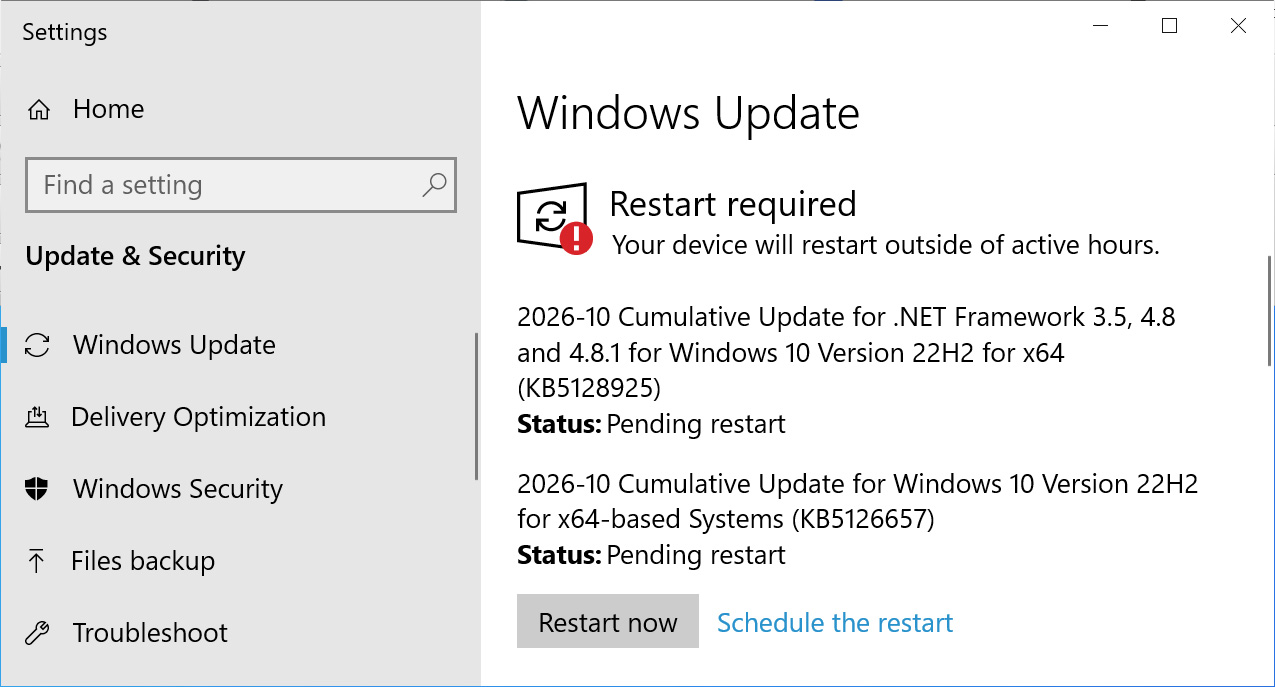
If you are running Windows 10 Enterprise LTSC or are enrolled in the ESU program, you can install this update as normal by going to Settings, clicking Windows Update, and manually running a 'Check for Updates.'
Source: BleepingComputer
After installing this update, Windows 10 will be updated to build 19045.7846, and Windows 10 Enterprise LTSC 2021 will be updated to build 19044.7846.

What's new in Windows 10 KB5131096
Microsoft no longer releases new features for Windows 10, and the KB5131096 update mainly includes security updates and bug fixes.
The update also includes fixes released as part of today's November 2026 Patch Tuesday, which addressed 1,235 vulnerabilities across Microsoft's products, including one actively exploited Outlook zero-day flaw.
The complete list of fixes and changes in KB5131096 is below:
-
[Date and Time] This update adjusts daylight saving time (DST) rules for Cuba for the extended 2026-2027 DST period. Cuba remains on UTC-04:00 and doesn't observe the November 2026 and March 2027 transitions. It returns to UTC-05:00 in November 2027 and resumes its regular seasonal schedule in 2028.
- For the latest DST and time zone guidance, see the Daylight Saving Time & Time Zone Blog.
-
[Printing] - Fixed: Adding a printer published in Active Directory through Settings > Bluetooth & devices > Printers & scanners > Add device might fail with error 87, "The parameter is incorrect." This issue was introduced by the October 2026 update and does not generally affect existing printers or printing.
-
[Remote Desktop]
- Fixed: The “Specify thumbprints of certificates representing trusted .rdp publishers” policy could not be configured successfully through Microsoft Intune.
- Fixed: Remote Desktop shadow connections might fail with an “Unspecified error” on Windows Server 2016 and Windows Server 2012 R2 after installing the October 14, 2026, update.
-
[Windows PowerShell] This update strengthens security for PowerShell script signing and signature verification by introducing stricter encoding validation. As a result, scripts containing invalid UTF-8 encoding might fail signature validation, even if they were previously accepted. To resolve this issue, review the affected scripts, save them using valid UTF-8 encoding with a byte order mark (BOM), and sign them again. For further guidance, see Encoding Guidance for Signed PowerShell Scripts.
Microsoft says it has now resolved all known issues affecting USB Audio Class 1.0 devices introduced by the September 2026 Windows security updates.
The problems caused some devices to stop producing audio, fail to start with Code 10 errors, or experience unresponsive volume controls and sound settings.
Microsoft previously released an emergency out-of-band update on September 14 to fix issues affecting 8-channel and 3D audio modes.
The remaining audio issues have now been fixed in today's Windows 10 update.
Uncover email threats your existing defenses may miss.
Adaptive Security's AI agents analyze email intent, context, and behavior to uncover phishing, business email compromise, and invoice fraud.
See what's getting through with a 14-day read-only scan of Microsoft 365 or Google Workspace, with no MX changes.
Start your free email security scan.Originally published by BleepingComputer. Aggregated on AIWithGhost for educational purposes — full credit and traffic to the original publisher.