Launching RepoGraph AI: know your code before you change it
I kept losing hours in unfamiliar codebases. Jumping file to file, guessing what breaks if I touch this function, asking LLMs for help and getting confidently wrong answers, because they cannot see the actual import grap

I kept losing hours in unfamiliar codebases. Jumping file to file, guessing what breaks if I touch this function, asking LLMs for help and getting confidently wrong answers, because they cannot see the actual import graph.
So I built RepoGraph AI, a free VS Code extension, and it launches today on Product Hunt.
Open any folder and it indexes itself. No commands, no config. You get an interactive dependency graph (2D and a 3D sphere), community detection, flow diagrams and file-level Q&A.
The part I care about most: every edge is labeled with provenance.
- EXTRACTED (1.0): found in a real import, trust it fully
- INFERRED (0.85): pattern level
- AMBIGUOUS (0.3): verify before you refactor
Everything runs offline with zero API keys: graphs, diagrams, exports in .mmd/.svg/.json. AI is opt-in if you want summaries: Groq free tier, local Ollama, Gemini, Claude or OpenAI.
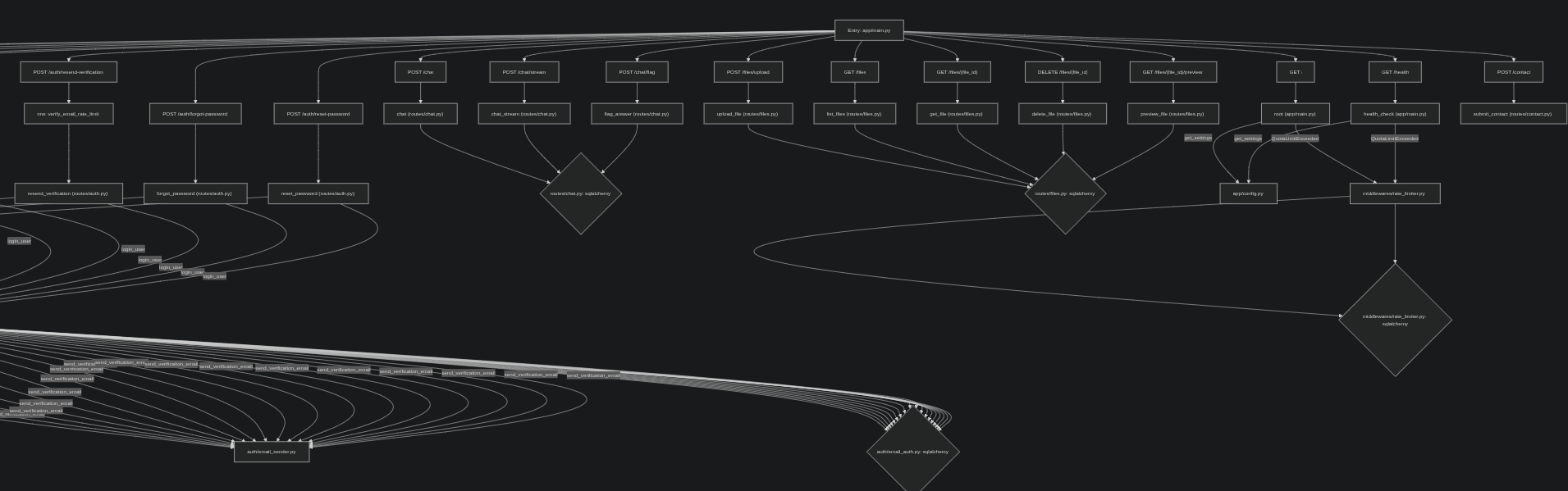
For the agent crowd: one-click REPOGRAPH-CONTEXT.md export. It grounds Copilot, Cursor, Claude Code and friends in your real import graph instead of their guesses.

Source, MIT: https://github.com/Kaushalendra-Marcus/RepoGraph-AI
Website and demo: https://repograph.kaushalendra.me
Live on Product Hunt today: https://www.producthunt.com/posts/repograph-ai/maker-invite?code=gNwgDM
Try it on your messiest repo and tell me what the graph gets wrong. That is exactly what the labels are for.
Originally published by Dev.to AI. Aggregated on AIWithGhost for educational purposes — full credit and traffic to the original publisher.