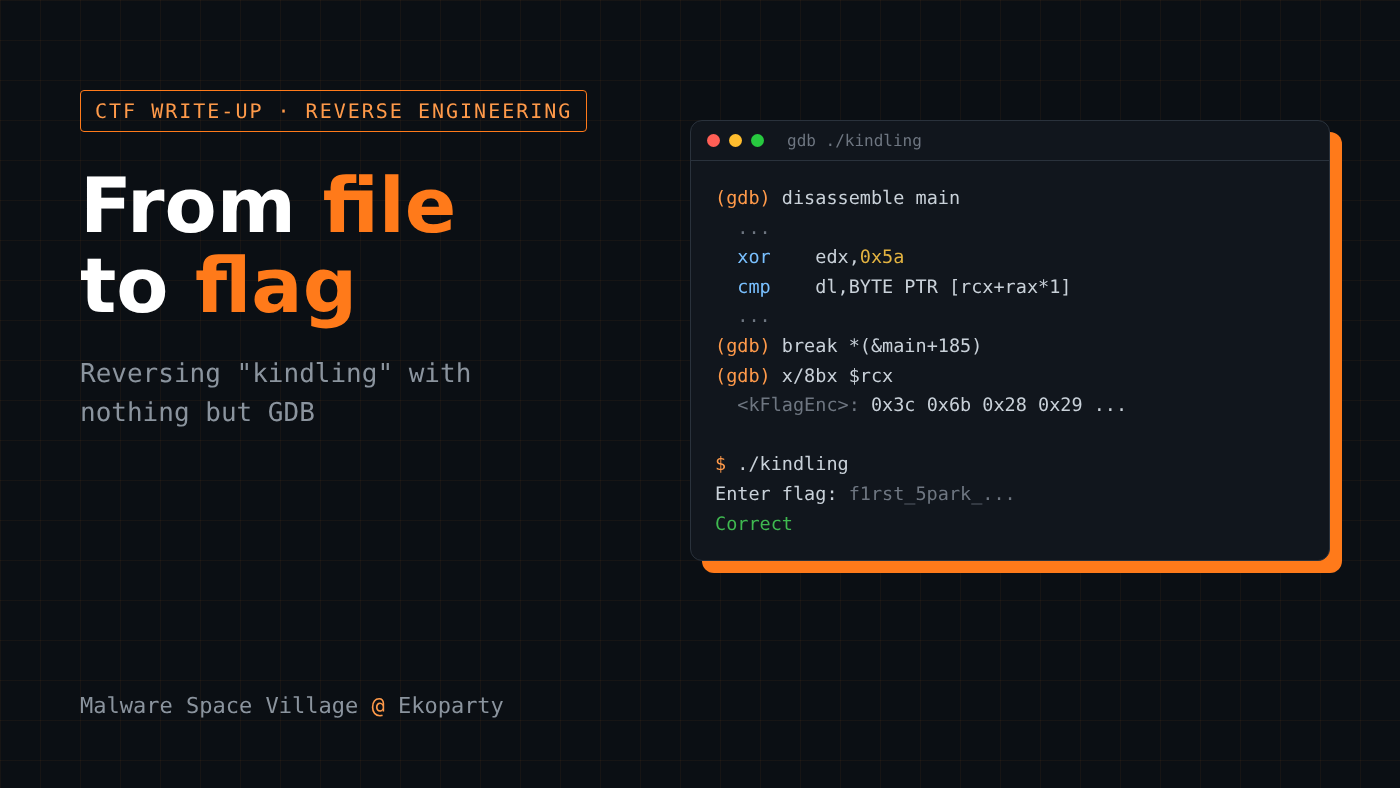
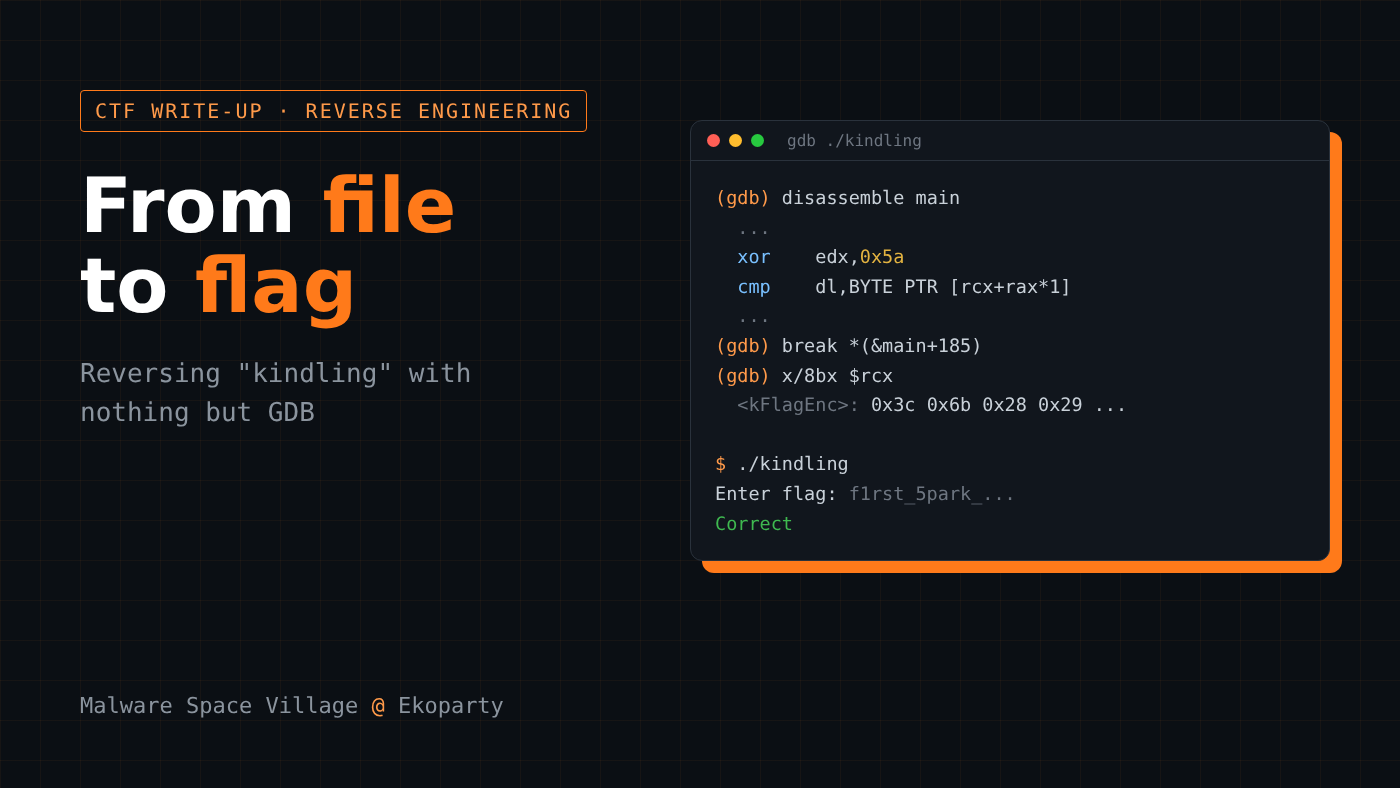
From file to flag: reversing "kindling" (Malware Space Village) with nothing but GDB
Recon, disassembly reading and live debugging on a warm-up challenge from the Malware Space Village at Ekoparty Knowing how to use a tool is one thing. Knowing how to run an analysis is another. In reverse engineering,

Recon, disassembly reading and live debugging on a warm-up challenge from the Malware Space Village at Ekoparty
Knowing how to use a tool is one thing. Knowing how to run an analysis is another.
In reverse engineering, the debugger solves half the problem. The other half is method: what to look at first, what to rule out and where to set the breakpoint.
To show this in practice, I picked kindling, a warm-up challenge I solved in the Malware Space Village CTF at Ekoparty. The Malware Space Village is the Ekoparty village dedicated to malware analysis and reverse engineering. The flag is simple. What matters here is the path to it, which is the same one I use on any binary:
recon → understand the logic → isolate the transformation → invert it → validate
All of it with basic tools: file, readelf, strings and GDB. Commands and outputs are below for anyone who wants to follow along.
Recon: know the terrain before you dig
Rule number one: don't open the debugger before you know what you're looking at.
$ file kindling
kindling: ELF 64-bit LSB pie executable, x86-64, version 1 (SYSV),
dynamically linked, interpreter /lib64/ld-linux-x86-64.so.2,
BuildID[sha1]=cba4..., for GNU/Linux 3.2.0, not stripped
~~~{% endraw %}
Three conclusions right away:
- **ELF 64-bit x86-64**: Intel architecture, so we'll be reading x86-64 assembly.
- **PIE**: addresses are relative and change on every run. This changes how we set breakpoints.
- **not stripped**: symbols are still in the binary. In a CTF, that's gold.
Now protections and symbols:{% raw %}
~~~bash
$ readelf -d kindling | grep -Ei 'bind_now|flag'
0x000000000000001e (FLAGS) BIND_NOW
0x000000006ffffffb (FLAGS_1) Flags: NOW PIE
$ readelf -sW kindling | grep -Ei 'main|kFlagEnc'
37: 0000000000001100 213 FUNC GLOBAL DEFAULT 16 main
4: 0000000000002040 36 OBJECT LOCAL DEFAULT 18 kFlagEnc
~~~{% endraw %}
Two gifts:
- {% raw %}`main`{% endraw %} at {% raw %}`0x1100`{% endraw %}, only **213 bytes** long. A small target.
- {% raw %}`kFlagEnc`{% endraw %}, a **36-byte** object at {% raw %}`0x2040`{% endraw %}. The name gives it away: it's an encoded flag.
And {% raw %}`strings` wraps up the recon:
~~~bash
$ strings -a -n 4 kindling | head
Enter flag:
Wrong
Correct
kindling.c
kFlagEnc
GCC: (Ubuntu 13.3.0-6ubuntu2~24.04.1) 13.3.0
~~~
The plot is clear: the program reads input, compares it against something and prints `Wrong` or `Correct`. And we already know `kFlagEnc` is the reference for that comparison.
> In under a minute I already have a map of the challenge. Recon isn't bureaucracy. It's what keeps you from debugging blind later.
## Read the code in GDB before running it
Not many people use GDB this way, but it works really well as a disassembler and for inspecting static data, without even starting the process.
~~~console
$ gdb -q ./kindling
(gdb) info functions
...
0x0000000000001100 main
0x00000000000011e0 _start
(gdb) info address kFlagEnc
Symbol "kFlagEnc" is at 0x2040 in a file compiled without debugging.
~~~
GDB uses AT&T syntax by default. I prefer Intel:
~~~console
(gdb) set disassembly-flavor intel
(gdb) disassemble main
~~~
The lines that matter:
~~~nasm
0x113a <+58>: mov esi,0x100 ; fgets(buf, 256, stdin)
0x1142 <+66>: call 0x10e0 <fgets@plt>
0x1156 <+86>: call 0x10d0 <strcspn@plt>
0x1162 <+98>: call 0x10b0 <strlen@plt>
0x1167 <+103>: cmp rax,0x24 ; requires 36 bytes
0x116b <+107>: je 0x119a <main+154>
0x119a <+154>: xor eax,eax
0x119c <+156>: lea rcx,[rip+0xe9d] ; rcx = &kFlagEnc
0x11b2 <+178>: movzx edx,BYTE PTR [rbx+rax*1]
0x11b6 <+182>: xor edx,0x5a
0x11b9 <+185>: cmp dl,BYTE PTR [rcx+rax*1]
0x11bc <+188>: je 0x11a8 <main+168>
0x11be <+190>: jmp 0x116d <main+109> ; mismatch -> "Wrong"
~~~
The logic shows up on its own:
1. `fgets` reads up to 256 bytes of input.
2. `strcspn` + `strlen` measure the length, which must be **36** (`0x24`).
3. A loop takes each `buf[i]`, applies `xor 0x5a` and compares it with `kFlagEnc[i]`.
The whole challenge in one line: **every input byte, XORed with 0x5a, must equal kFlagEnc.**
> ⚠️ **The trap I fell into:** the offsets `<+103>` and `<+185>` are in **decimal**. `main+103` is `0x1167`, not `0x1203`. Mixing up decimal and hex when addressing by symbol is a classic mistake that costs time.
You can even read the constant before running anything:
~~~plaintext
(gdb) x/36bx &kFlagEnc
0x2040 <kFlagEnc>: 0x3c 0x6b 0x28 0x29 0x2e 0x05 0x6f 0x2a
0x2048 <kFlagEnc+8>: 0x3b 0x28 0x31 0x05 0x2d 0x3b 0x28 0x37
0x2050 <kFlagEnc+16>: 0x2f 0x2a 0x7b 0x1a 0x37 0x3b 0x36 0x2d
0x2058 <kFlagEnc+24>: 0x3b 0x28 0x3f 0x29 0x2a 0x3b 0x39 0x3f
0x2060 <kFlagEnc+32>: 0x74 0x35 0x28 0x3d
~~~
At this point the challenge is already solved on paper: `flag[i] = kFlagEnc[i] ^ 0x5a`. But solving is not the same as understanding. So let's confirm every deduction with the program running.
## Confirm the hypothesis live
### Stop right after strlen
Since the binary is PIE, absolute addresses won't work. The robust way is to anchor the breakpoint on **symbol + offset**:
~~~console
(gdb) start < flag.txt
(gdb) break *(&main+103)
(gdb) continue
(gdb) printf "rax (strlen) = %d\n", (int)$rax
(gdb) x/s $rbx
~~~
~~~plaintext
Breakpoint 2, 0x0000555555555167 in main ()
rax (strlen) = 36
0x7fffffffb830: "[email protected]"
~~~
- `rax = 36`: passes the `cmp rax, 0x24`.
- `rbx` points to the input buffer (`main` does `mov rbx, rsp` at the start).
`fgets` stored exactly what we sent, and the length checks out.
### Follow the loop, one iteration at a time
Now the breakpoint goes on `cmp dl,[rcx+rax]` (`main+185`), and I ask GDB to print the state on every iteration:
~~~console
(gdb) break *(&main+185)
(gdb) commands
> silent
> printf "i=%d buf[i]=%#x buf[i]^0x5a=%#x kFlagEnc[i]=%#x\n", (int)$rax, *(unsigned char*)($rbx+$rax), (unsigned char)$dl, *(unsigned char*)($rcx+$rax)
> continue
> end
(gdb) continue
~~~
The first iterations:
~~~plaintext
i=0 buf[i]=0x66 buf[i]^0x5a=0x3c kFlagEnc[i]=0x3c
i=1 buf[i]=0x31 buf[i]^0x5a=0x6b kFlagEnc[i]=0x6b
i=2 buf[i]=0x72 buf[i]^0x5a=0x28 kFlagEnc[i]=0x28
~~~
There's the heart of the challenge, proven at runtime: {% raw %}`buf[i] ^ 0x5a == kFlagEnc[i]`{% endraw %}.
### Sanity check: the failure path
Input with the wrong length has to land on {% raw %}`Wrong`{% endraw %}:{% raw %}
~~~console
(gdb) start < short_flag.txt
(gdb) break *(&main+103)
(gdb) continue
(gdb) printf "strlen = %d -> the 'je' is not taken\n", (int)$rax
~~~{% endraw %}{% raw %}
~~~plaintext
strlen = 1 -> the 'je' is not taken
~~~{% endraw %}
Hypothesis confirmed from both sides.
## Reversing the XOR
XOR is its own inverse: to undo it, just apply the same XOR again.
You can do this inside GDB itself. One tip: {% raw %}`while/end`{% endraw %} passed inline with {% raw %}`-ex`{% endraw %} doesn't work well, so use a command file (`decode.gdb`):
~~~plaintext
set debuginfod enabled off
file ./kindling
start < flag.txt
break *(&main+185)
continue
printf "Flag = "
set $i = 0
while $i < 36
printf "%c", (*(unsigned char*)($rcx+$i) ^ 0x5a)
set $i = $i + 1
end
printf "\n"
quit
~~~
~~~bash
$ gdb -q -batch -x decode.gdb
...
Flag = [email protected]
~~~
And the final proof, running the binary:
~~~bash
$ printf '[email protected]\n' | ./kindling
Enter flag: Correct
~~~
🚩 **Flag:** `[email protected]`
For those who prefer to keep it in Python:
~~~python
#!/usr/bin/env python3
enc = bytes.fromhex(
"3c6b28292e056f2a3b2831052d3b28372f2a7b1a373b362d"
"3b283f292a3b393f7435283d"
)
print(bytes(b ^ 0x5A for b in enc).decode())
~~~
## What a warm-up teaches
kindling is easy on purpose. But what you take from it applies to much bigger targets:
1. **Recon first, always.** `file`, `readelf` and `strings` answer most questions before any debugger.
2. **Read before you run.** `disassemble` and `x/` in GDB already give you all the static logic.
3. **PIE changes how you break.** Anchor on symbol + offset, not on absolute addresses.
4. **Watch the base of your offsets.** `main+103` is decimal. It was my first mistake, and the one that taught me the most.
5. **XOR undoes XOR.**
6. **Validate.** Predicting the flag is nice. Seeing `Correct` on screen is the proof.
Tools change from challenge to challenge. Method is what scales.
Happy hacking! 🔥
---
*Challenge: kindling, Malware Space Village CTF at Ekoparty. ELF x86-64 PIE, not stripped. Tools: GDB 17.x, readelf, strings and Python 3.*
Originally published by Dev.to Security. Aggregated on AIWithGhost for educational purposes — full credit and traffic to the original publisher.